



When using quality marks, first a list has to be made with the quality marks that can be used. Default is that the list is filled with the three most used quality marks in the Netherlands: Quality mark, MPS and ECO-mark. These marks can be deleted and/or other quality marks can be added to this list.
After the menu is opened, the window below is shown.
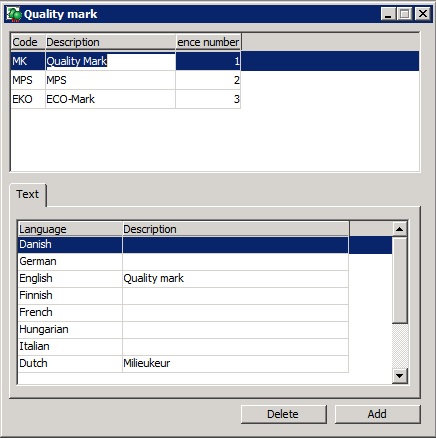
Use [Add] to add a new quality mark. A quality mark contains the following information:
| Code |
Here a short code of the quality mark is entered.
| ||
| Description | Insert the description of the quality mark here. | ||
| Sequence number | Give every quality mark a unique sequence number. This number is used for sorting the quality marks. |

On the tab page "Text" per language (also available without the WinTree module Foreign Trade (module number 84)) the description of the quality mark is shown. Per language this description can be altered. The description that is entered for a language, will be used when printing documents and labels.
With the ECO-mark can for example the registration code with an addition be entered (for example ECO 012345).
With [Delete] a quality mark can be deleted. Only delete quality marks if these are not used anywhere in the program.
Read for the use of quality marks also the procedure manual Quality marks.