



 Sequence numbers
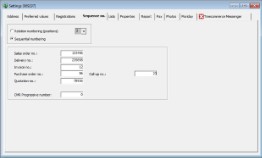


Via File -> Settings, on the tab page "Sequence numbers", it is possible to indicate the way in which you wish to use sequence numbers within WinTree Nursery Manager. When you open the window for the first time, Sequencial numbering is automatically selected. This means that when sales orders, deliveries and invoices are generated, they will begin with the number you have defined. Usually, sales orders will begin at 1000, deliveries at 2000, and invoices at 3000.
Another possibility is to use Relation numbering. This means that, depending on the number positions you have chosen, a sequence number can be entered for a contact (customer) that will always prefix the sales order, delivery and invoice. Customers receive, for example, an invoice numbered 123001, 123002, 123003 and so on. “123” is the sequence number defined for that contact.
It is possible to change the sequences numbers for instance, if you want to change the invoice number at het beginning of a new year.
 |
Caution on adjusting the sequences numbers. It is not possible to fill in a lower number than what is filled in now. A higher number is . For example change 20190178 to 20200001. |